The GTD method, explained
GTD, short for Getting Things Done, is a personal productivity method by David Allen, from his 2001 book of the same name. The idea: get every commitment out of your head into a system you trust, and decide what each one needs. Five steps, a handful of lists and one weekly review. The official source is gettingthingsdone.com and the book itself.
- 5 steps
- 7 lists
- 1 weekly review
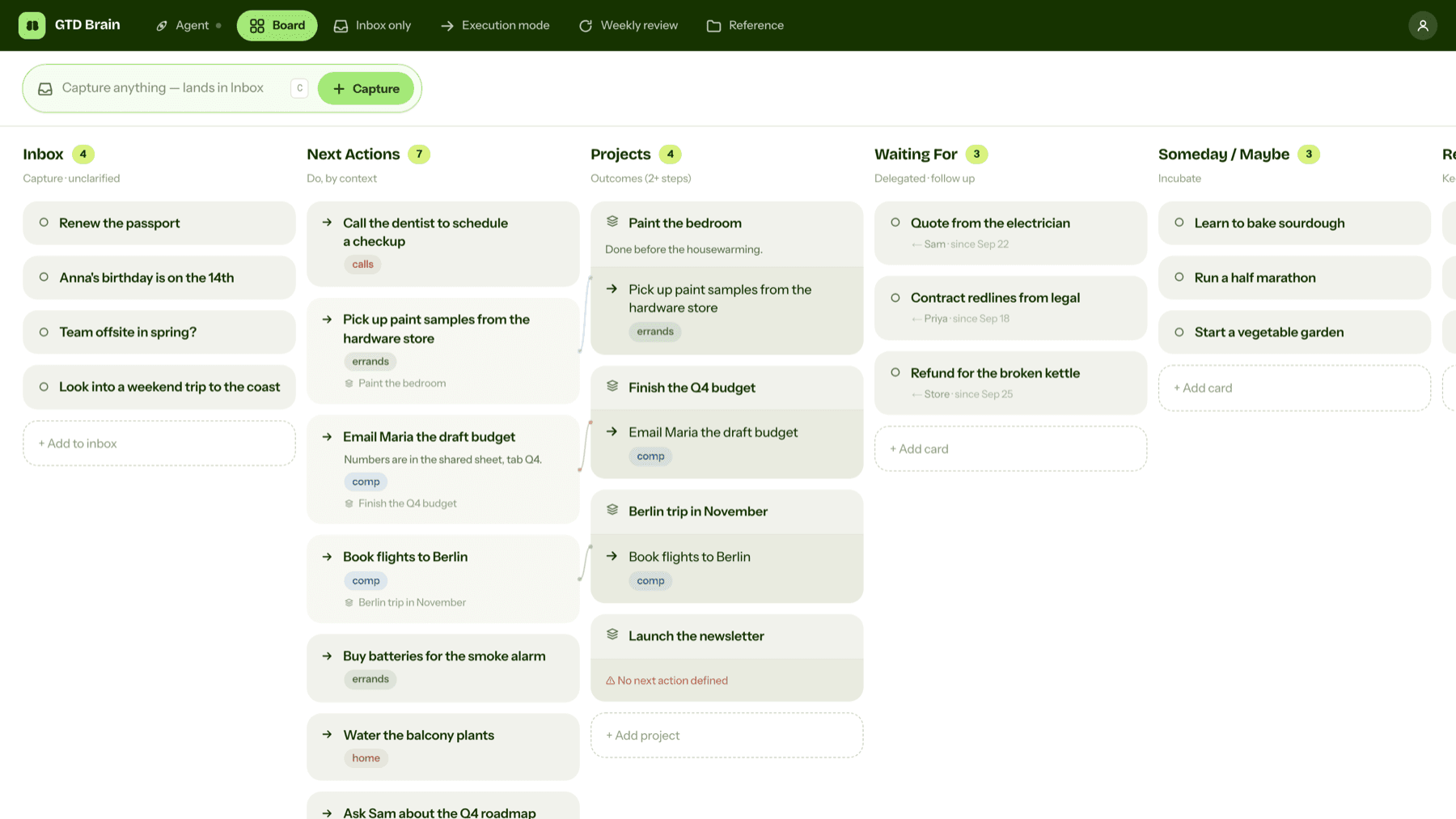
Why the method exists
Allen's point is that stress comes less from the amount of work than from open loops: promises you made, to yourself or to others, that live only in your head. Your mind brings them up when you can't act on them and forgets them when you can. Put them all in an outside system, decide what each one means and check it often enough to trust it, and the nagging stops. Allen calls the result a mind like water.
The five steps of GTD
A sequence for handling anything that comes in. When the system feels off, you are usually skipping one of them.
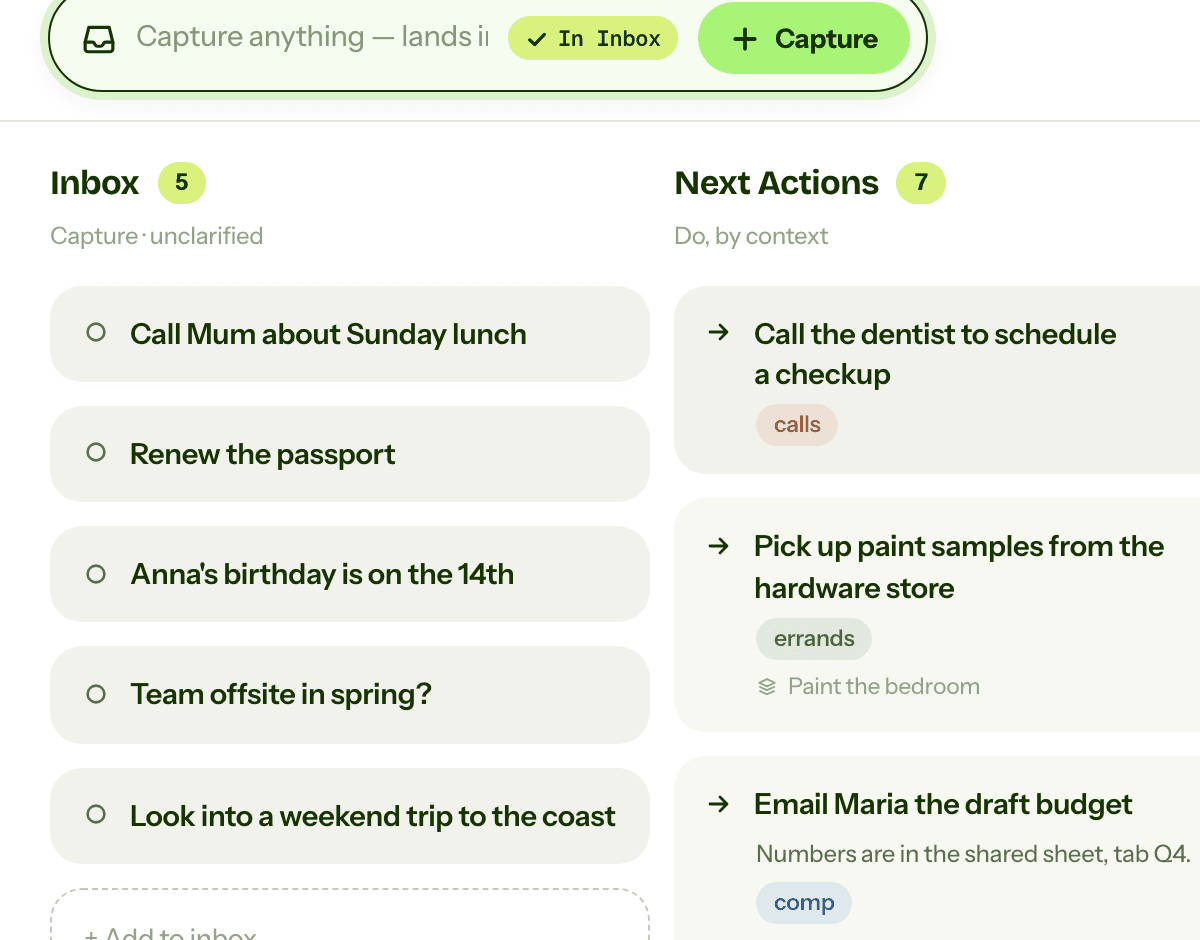
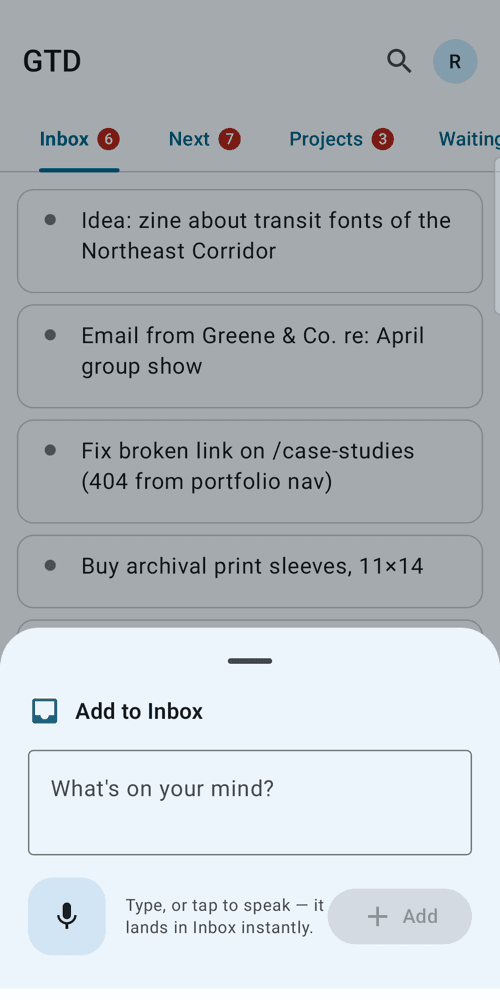
1. Capture
Write down whatever has your attention, the moment it shows up. Don't sort it or judge it. Just get it out of your head and into one inbox. Starting from zero? Do a mind sweep first and write everything down in one sitting. The first one takes a couple of hours.
In any tool A notebook, a notes app or an email to yourself works fine.
2. Clarify
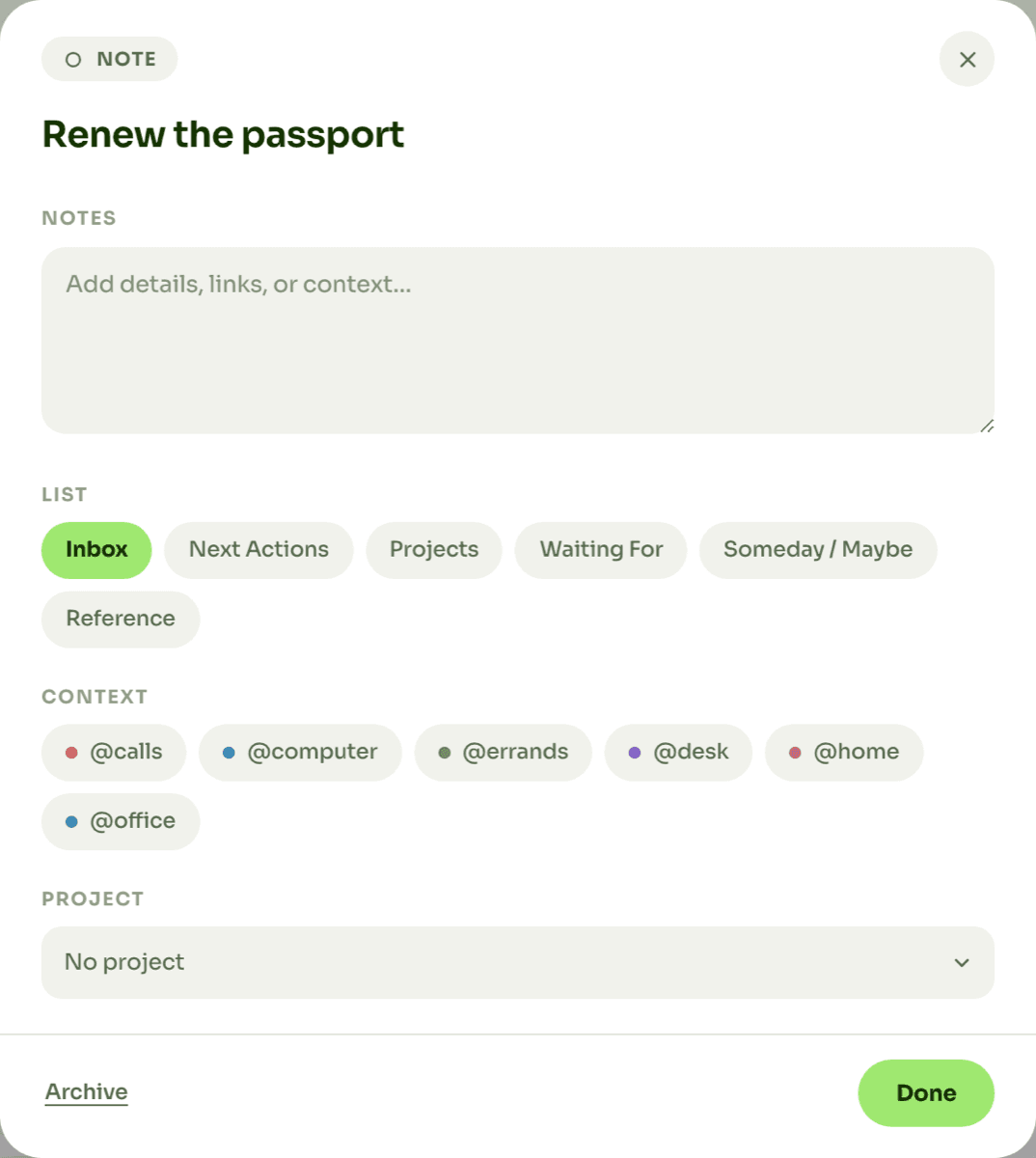
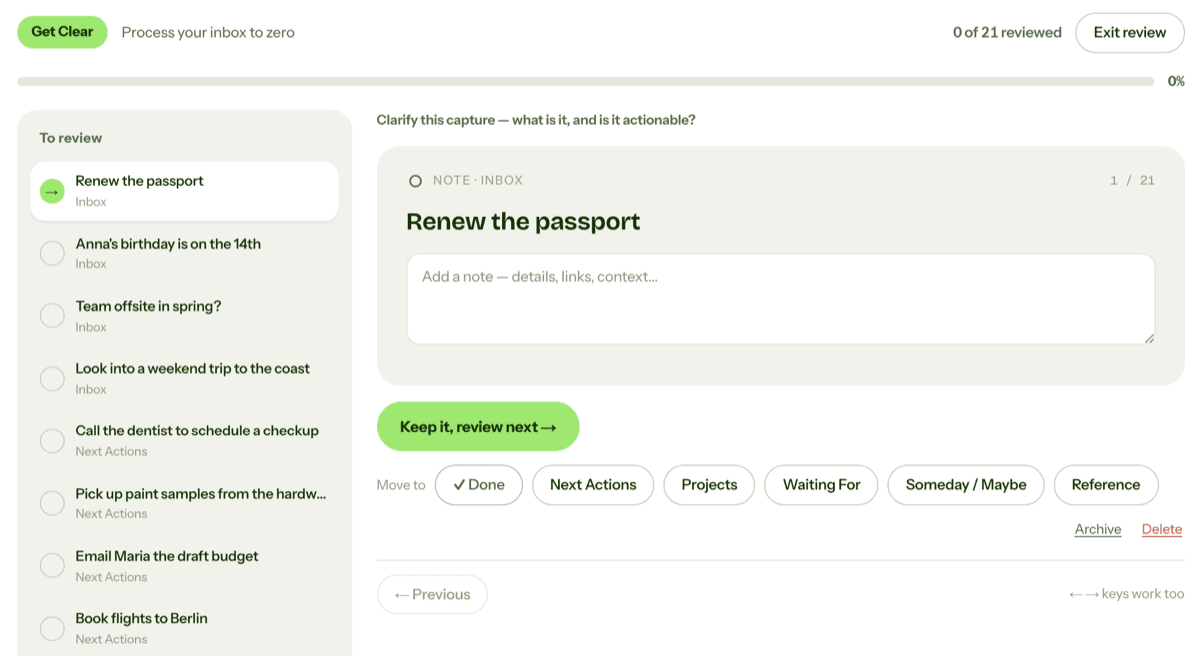
Go through the inbox one item at a time and ask: is this actionable? If not, trash it, file it or park it in Someday/Maybe. If yes, write down the very next physical action. "Car insurance" is not an action. "Call the insurer for a renewal quote" is. Anything that needs more than one action is a project.
In any tool On paper, rewrite the item as a verb-first action on the right list, then cross out the original.
3. Organize
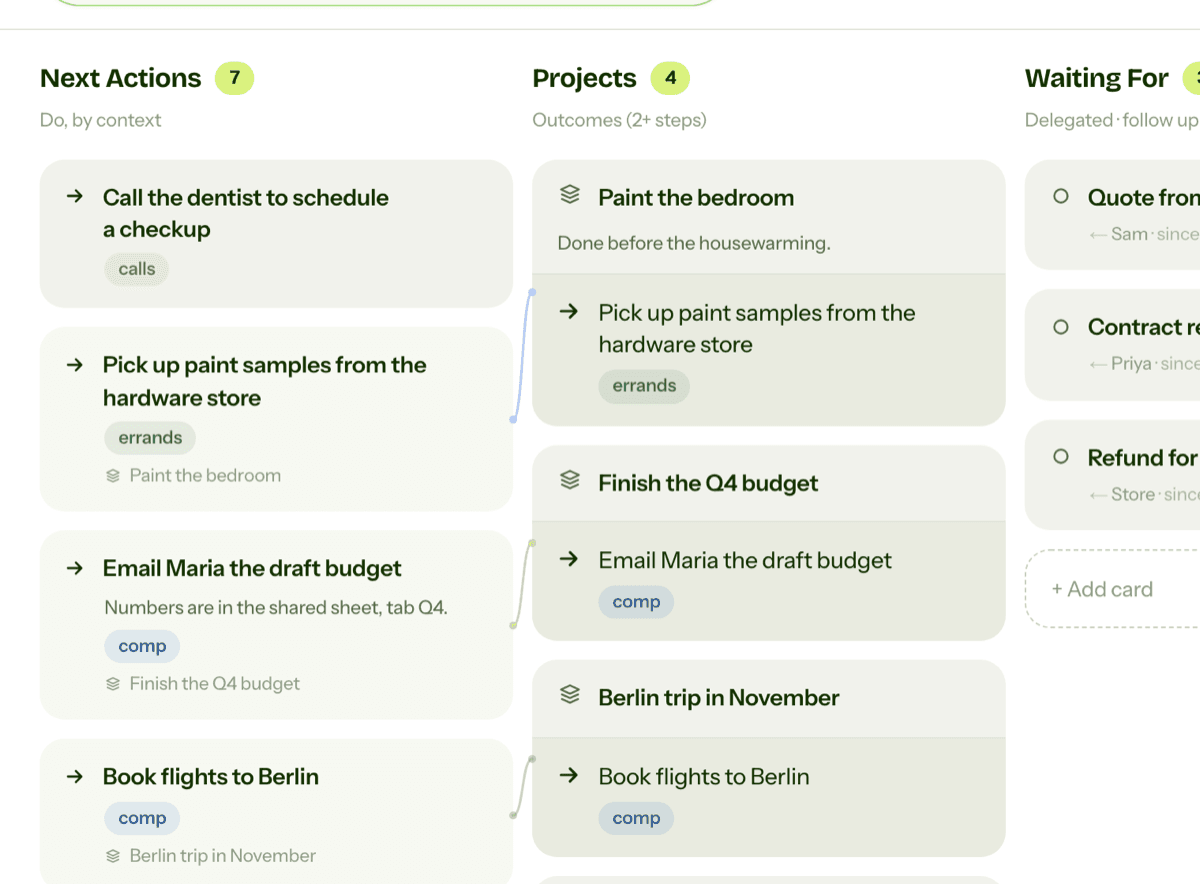
Put each result where you will see it at the right moment. Actions go on lists grouped by context, and projects go on the projects list. What you handed off goes on Waiting For, and anything tied to a date goes on the calendar.
In any tool Any tool with separate lists or folders can hold this.
4. Reflect
Look at the lists often enough to trust them. Glance at them daily, and once a week do a proper weekly review. This is the step most people drop first, and the system falls apart soon after.
In any tool Block an hour in your calendar and print the checklist further down this page.
5. Engage
Do the work, picking from the lists instead of from memory. Allen's order for choosing: the context you are in, the time you have, your energy, and only then priority.
In any tool Open the list for where you are (desk, phone, errands) and pick something you can do now.
The lists
Tools name them differently. What matters is the boundary between each one.
Inbox
Raw captures, not clarified yet. A holding area you empty often, not a to-do list.
Next Actions
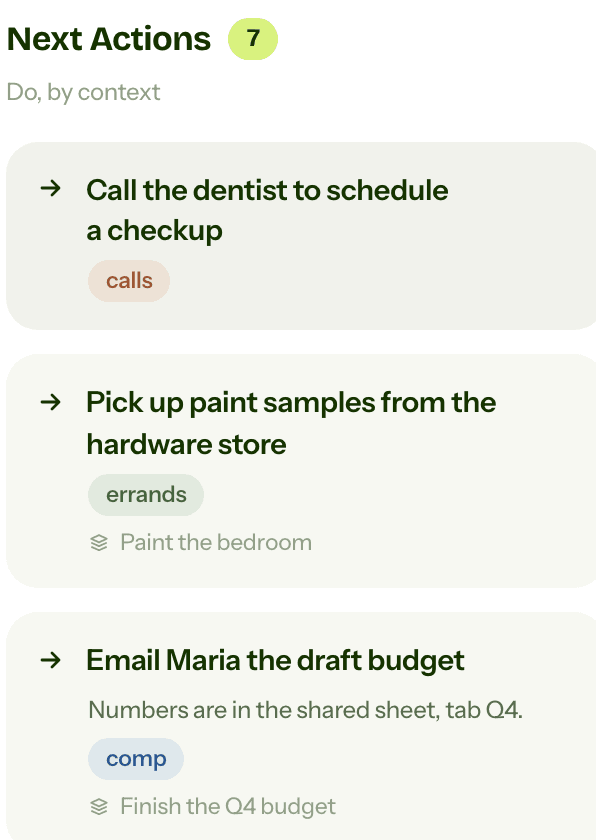
Single, concrete steps that start with a verb, grouped by context.
Projects
Any outcome that needs more than one step. Each one needs a next action somewhere.
Waiting For
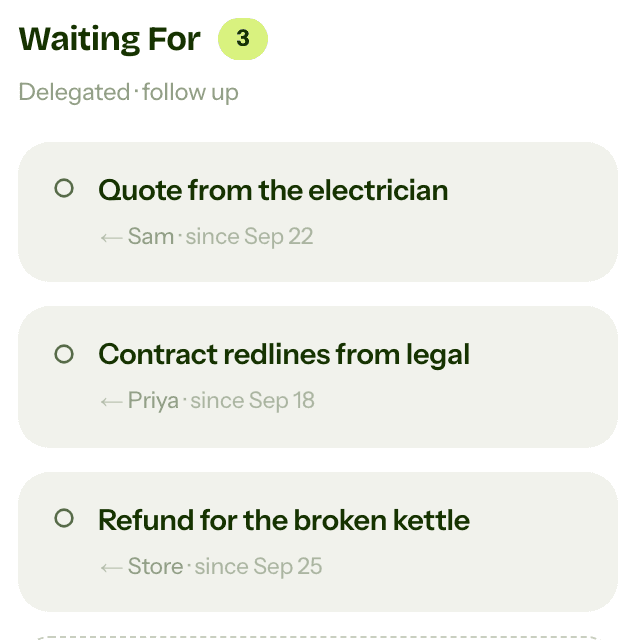
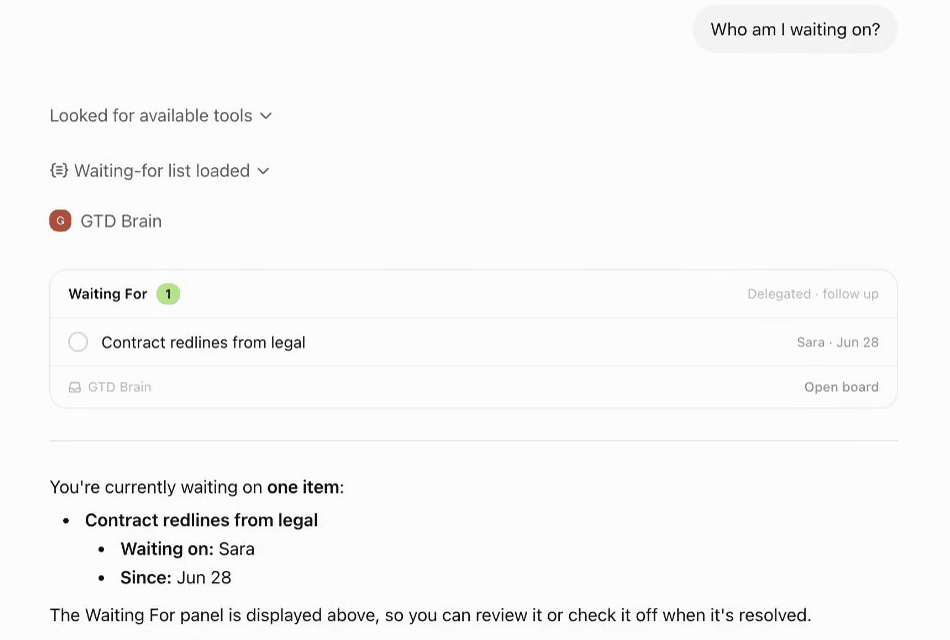
What you handed off, who has it, and since when.
Someday/Maybe
Ideas you are not committing to yet, parked so they don't clutter the active lists.
Calendar
Only things that must happen on a given day or at a given time.
Reference
Material worth keeping that needs no action, such as manuals, notes and receipts.
Contexts
A context is what an action needs before you can do it: a place, a tool or a person. The classic set:
- @calls
- @computer
- @errands
- @home
- @office
- @agendas
@agendas is for things to raise with one particular person. Actions are grouped by context, not by project, so the list you open matches where you are. Standing in a queue with only your phone, you open @calls and see nothing else. Three or four contexts is plenty for most people today.
The two-minute rule
While clarifying, if the next action takes less than two minutes, do it right then. Filing it and finding it later costs more than doing it. The rule is for the clarify step only. Used all day, it turns into doing whatever is quickest.
The weekly review
About an hour a week to get the system back to a state you trust, in three phases. The longer official checklist is on gettingthingsdone.com.
Get clear
Collect what piled up.
- Gather loose papers, receipts and notes into the inbox.
- Do a mind sweep for anything still in your head.
- Process the inbox to zero.
Get current
Bring every list back to reality.
- Update the next-actions lists.
- Check last week's calendar for loose ends and the coming weeks for prep.
- Chase anything overdue on Waiting For.
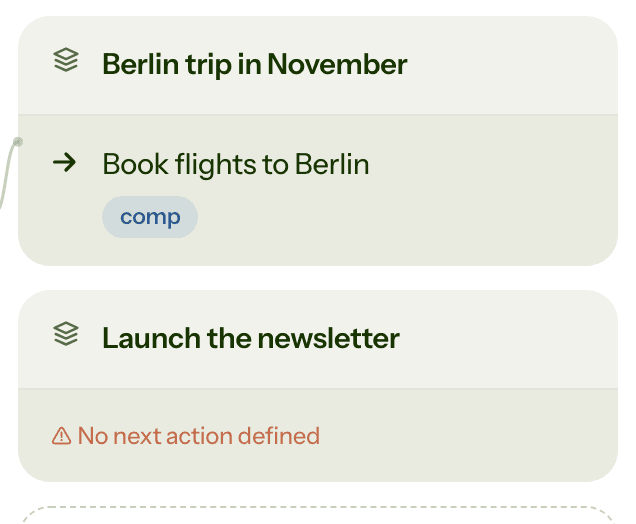
- Make sure every project has a next action.
Get creative
Decide what to take on.
- Read Someday/Maybe and promote what is ready.
- Drop what no longer interests you.
- Capture new ideas the review shook loose.
Pick a fixed slot (Friday afternoon is the classic) and protect it. Most failing GTD systems belong to someone who stopped doing this.
The natural planning model
For projects that feel stuck, Allen suggests five phases of thinking, the same ones you use to plan a dinner with friends:
- Purpose
- Outcome
- Brainstorm
- Organize
- Next actions
Why are we doing this, and what does done look like? Then brainstorm without judging, sort the ideas and pick the next actions. Most projects only need the last step. The ones that keep stalling usually need the first two.
Where GTD usually falls apart
When GTD stops working, it is nearly always one of these.
Capturing without clarifying
The inbox fills with vague notes and starts to nag. Capture is the easy part. Emptying the inbox is the habit that matters.
Next actions that are not actions
"Taxes" is a project in disguise, and it gets skipped every time. Keep clarifying until the entry starts with a verb.
Projects with no next action
A project with nothing on any action list has stalled, and you only notice when it is late.
Skipping the weekly review
Within a few weeks the lists stop matching reality, you stop trusting them, and your head takes over again.
Too much structure
Every extra field is one more decision when you capture. Start with plain lists and add a field only when you miss it.
Using the calendar as a wish list
Put "write report" on Tuesday because you hope to do it then, and the calendar soon stops meaning anything.
Changing tools instead of habits
A new app won't start a habit that isn't happening. Pick a tool that holds these lists and stay with it until the review is routine.
Where an assistant can take over
Clarify and reflect are the steps people drop, and both are a conversation with yourself. Language models are good at that conversation. GTD Brain has an agent that turns a raw capture into a next action with a context, and walks you through the weekly review. You can also run the same board from ChatGPT or Claude (see the connection guides), and GTD with AI: the AI GTD app goes into more detail. The deciding stays with you.
Run GTD in a tool you already use
You don't need our app for any of this. These guides set up GTD list by list in common tools, and say where each one runs out.
- How I run my whole life on GTD, with ChatGPT and Claude Code on the board
- What is the Inbox in GTD? How to capture and empty it
- What are Next Actions in GTD? How to write them and work from contexts
- What is the Waiting For list in GTD? How to track what others owe you
- What is a project in GTD? Outcomes, next actions and review
- What is Reference in GTD? What to keep and where it goes
- What is Someday/Maybe in GTD? The list for ideas you're not ready to start
- How to set up GTD in Apple Reminders (and where it runs out)
- How to set up GTD in Microsoft To Do (and what it will not do)
- How to set up GTD in Obsidian (Getting Things Done as Markdown notes, synced to your phone and your AI)
- How to do GTD in Notion (with a free template, and what Notion still will not do)
- How to do GTD with ChatGPT (and why the lists keep disappearing)
- How to do GTD in Gemini CLI (Markdown lists, slash commands, and where it breaks)
- How to do GTD in VS Code (Markdown lists, TODO comments, and where it breaks)
- How to do GTD in Chrome (open tabs, the Reading List, and a GTD Chrome extension)
- How to do GTD in Telegram (and why Saved Messages stops working after a week)
- How to do GTD in Claude (Getting Things Done with a connected board)
- How to do GTD in Claude Code (Getting Things Done from your terminal)
- How to do GTD in Cursor (Getting Things Done from your editor)
- How to do GTD in Grok (connect a GTD board as a custom connector)
- How to do GTD in IntelliJ (TODO filters, contexts, and the GTD Brain plugin for JetBrains IDEs)
Common questions
What is GTD?
GTD, short for Getting Things Done, is a personal productivity method from David Allen's 2001 book of the same name. You capture everything that has your attention into an inbox, clarify each item into a next action or a project, organize those by context, review the whole system weekly, and act from the lists instead of from memory. The aim is a head with no open loops in it.
What are the five steps of GTD?
Capture, clarify, organize, reflect, engage. Capture is writing down everything that has your attention. Clarify is deciding what each item means and what its next action is. Organize is putting the result on the right list. Reflect is reviewing those lists, weekly at least. Engage is choosing what to do from the lists, by context, time available, energy and priority.
What is the two-minute rule?
If the next action on something would take less than two minutes, do it right away instead of filing it. The rule belongs to the clarify step: filing a tiny task and finding it again later costs more than doing it on the spot. Two minutes is a guideline rather than a law. The point is that small actions never pile up on a list.
What is a context in GTD?
A context is what a next action needs before you can do it: a tool, a place or a person. Typical contexts are @calls, @computer, @errands, @home, @office and @agendas, the last one for things to raise with one particular person. Next actions are grouped by context so that wherever you are, you see only what you can do there rather than the whole list.
What is a GTD weekly review, and what is on the checklist?
An hour a week in which you bring the system back to a state you trust. Get clear: gather loose notes, do a mind sweep, process the inbox to zero. Get current: go through next actions, the past and coming calendar, waiting-for and every project, making sure each project has a next action. Get creative: read someday/maybe and decide what to activate or drop.
What is the difference between a project and a next action?
A next action is the single physical step you would take next, such as calling Sam about the quote. A project is any outcome that needs more than one action to reach, such as getting the kitchen quote agreed. GTD keeps them on separate lists and checks in the weekly review that every project has a next action sitting on an action list.
Do you need an app to do GTD?
No. The method does not depend on a tool. David Allen's book describes it with paper, folders and lists, and plenty of people run it in a notebook or in the task app they already own. What matters is one inbox, next actions by context, a projects list and a weekly review. An app such as GTD Brain mainly takes over the tedious steps, clarifying and the review.
Sources
David Allen, Getting Things Done: The Art of Stress-Free Productivity (2001; revised edition 2015), and the David Allen Company's site, gettingthingsdone.com, which publishes the official weekly review checklist and workflow map. This page summarises the method in our own words and does not replace either.
Getting Things Done® and GTD® are registered trademarks of the David Allen Company. GTD Brain is an independent app made by Minosin AB and is not affiliated with, endorsed by or licensed by the David Allen Company.