How to do GTD in Claude Code (Getting Things Done from your terminal)
Connect Claude Code to GTD Brain, a GTD (Getting Things Done) board, with one command, put the rules in CLAUDE.md, and capture, clarify and run the weekly review from the terminal, with screenshots.
Start free for a month →No charge for your first month · Cancel anytime
On this page
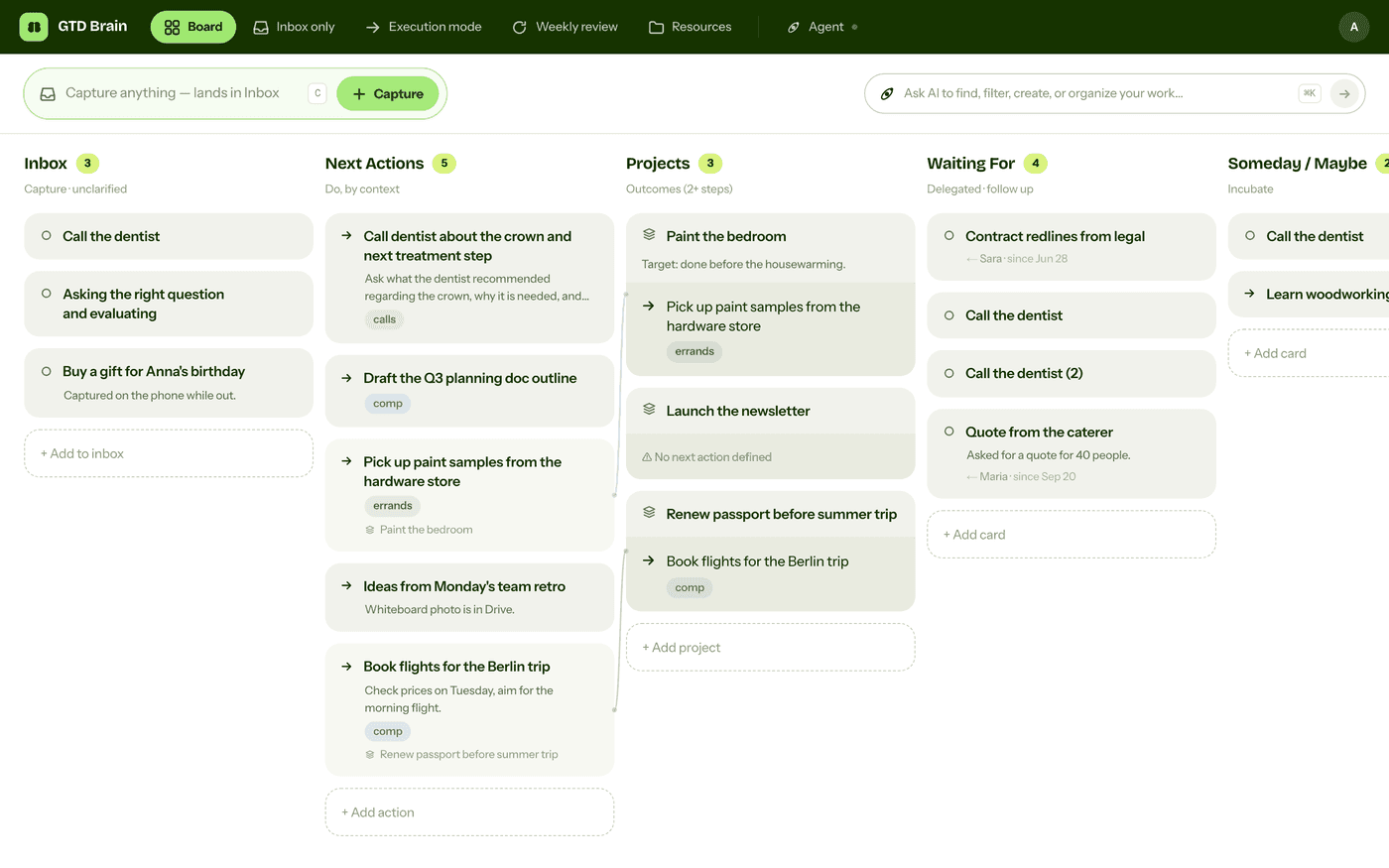
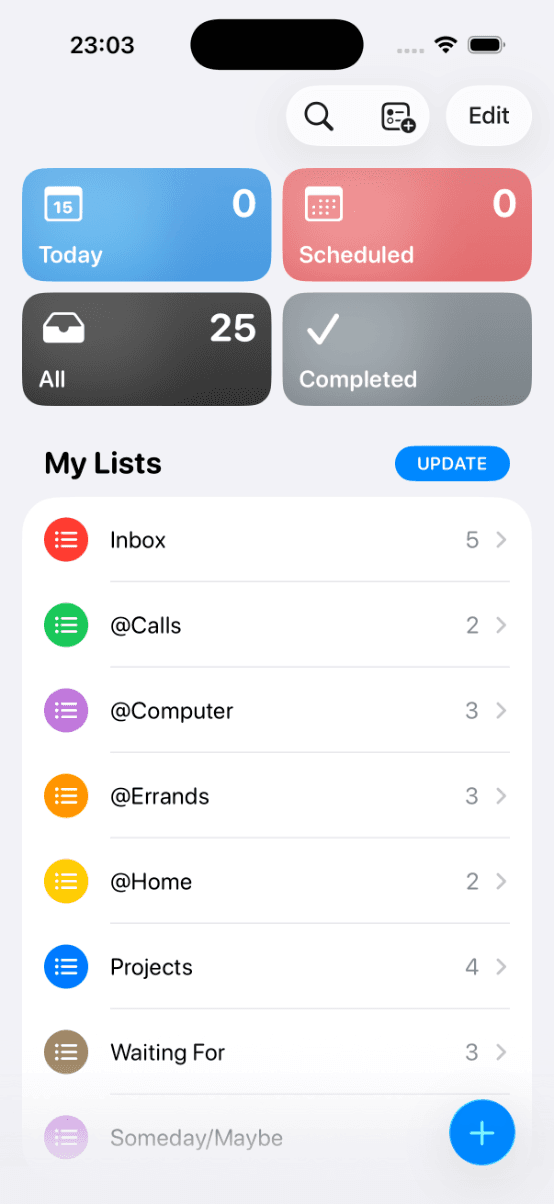
If Claude Code is open all day, it is the quickest place to catch a to-do before it slips: you type one sentence and go back to work. What it lacks is a place to keep your lists between sessions. Connect it to GTD Brain, a GTD (Getting Things Done) board, and it keeps them for you:
Step 1: connect Claude Code to GTD Brain
In a terminal, run:
claude mcp add --transport http gtdbrain https://mcp.gtdbrain.com/api/gtdbrain/v1/mcpAdd --scope user to the command to use GTD Brain in every project, not only the current one. Then start claude, type /mcp, choose gtdbrain and Authenticate. A browser tab opens on GTD Brain’s sign-in page: enter your email and the code we send you, then click Allow. There is no API key and no config file to edit.
Using the board from Claude Code needs a GTD Brain membership. The yearly plan starts with a free month.
Step 2: teach it the method once
Claude Code reads ~/.claude/CLAUDE.md at the start of every session, in every project, so the rules go there. Add:
My GTD lists are in GTD Brain. When I mention something I need to do, capture it straight to the Inbox, unsorted. Next actions are one physical step, verb-first, with a context. Every project needs a next action. Read the board before answering any question about my tasks, never from memory.
Step 3: capture, clarify, review
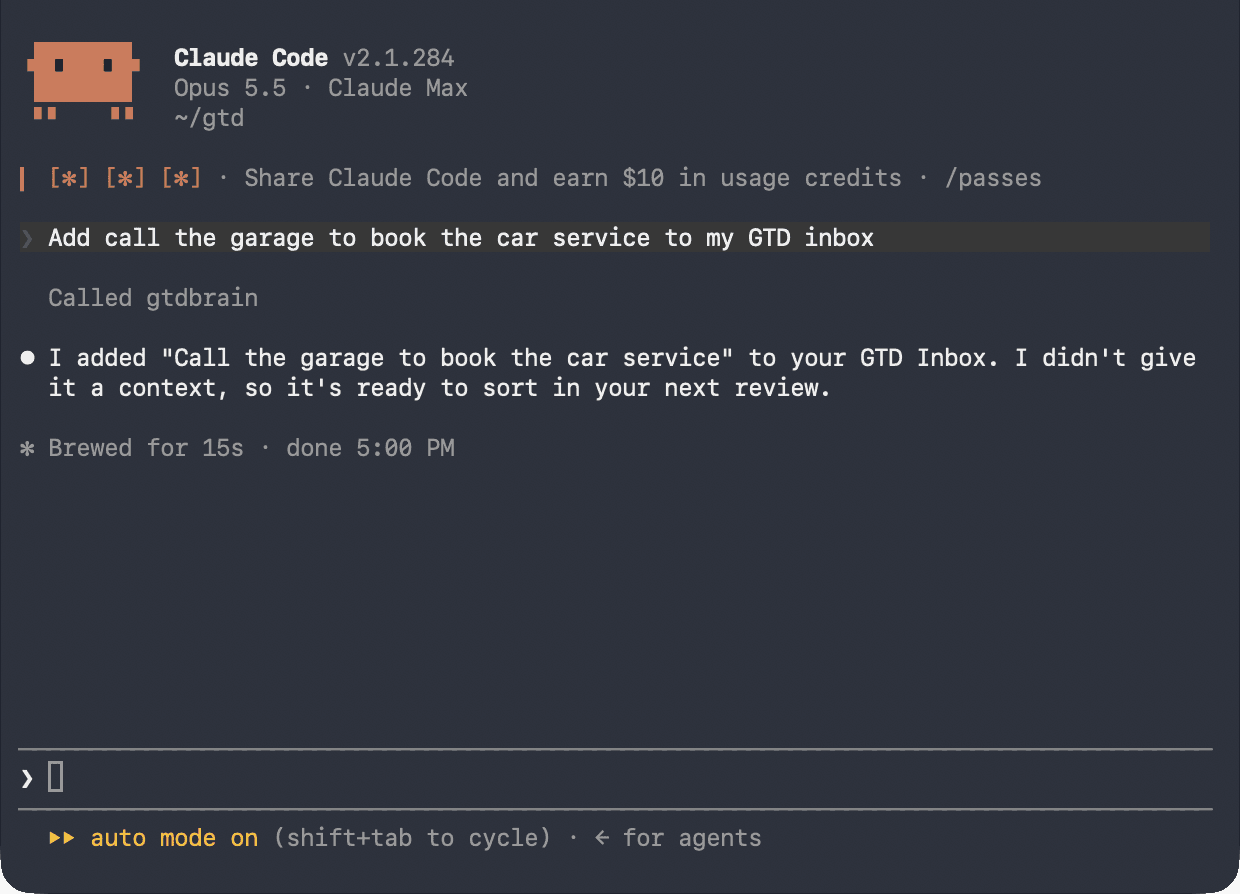
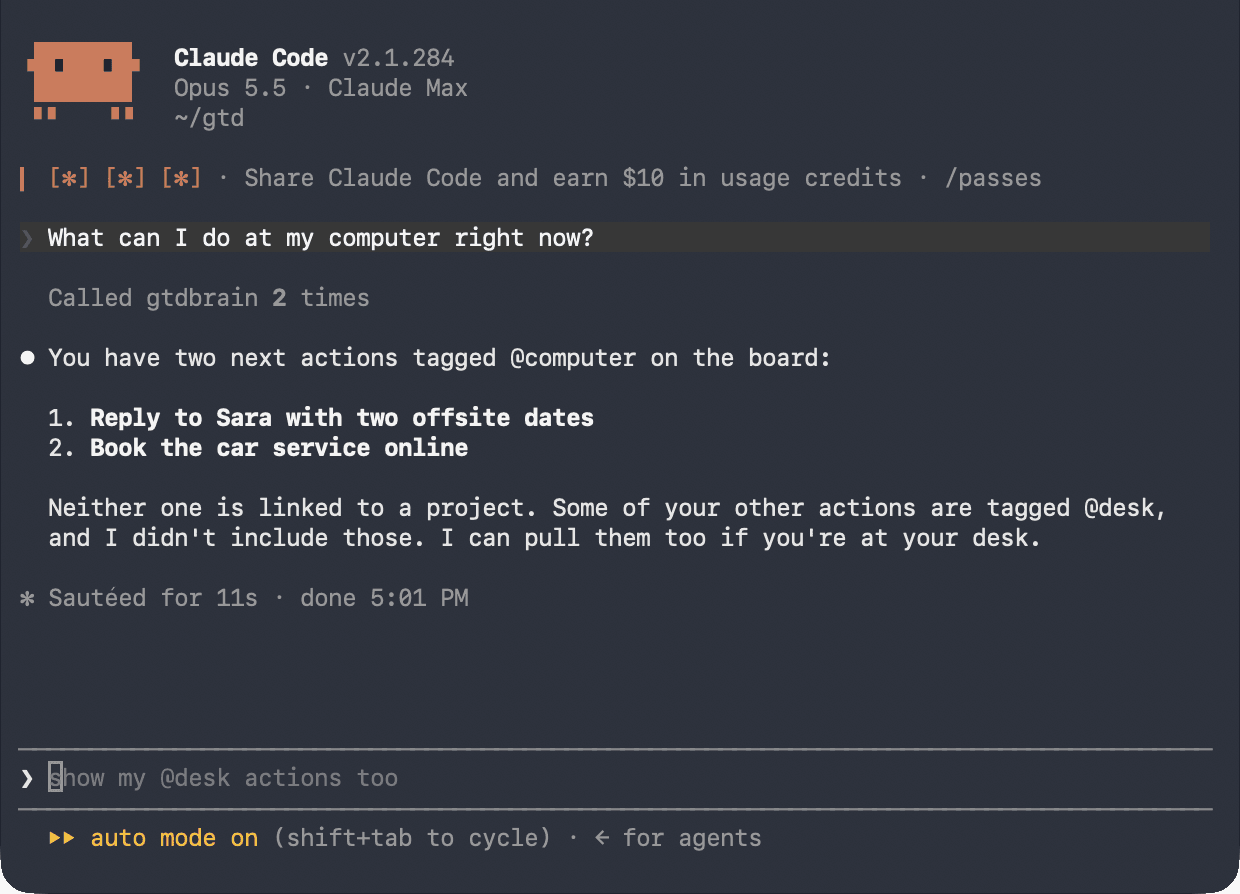
To capture, tell Claude Code what is on your mind, like in the first screenshot. To decide what to do next, ask for your next actions and it reads them from the board.
Once a day, ask: “Go through my inbox one item at a time and ask me what each one is.” On Friday, ask: “Run my weekly review, one list at a time, and wait for my answer.” Claude moves the cards as you decide. Waiting For keeps who and since when, so “who am I waiting on?” comes with how long each item has waited.
If you prefer slash commands, the GTD Brain plugin for Claude Code adds /gtdbrain:capture, /gtdbrain:what-now, /gtdbrain:inbox-zero and /gtdbrain:weekly-review on top of the same connection. It installs today from its GitHub repository with /plugin marketplace add minosin/gtdbrain-claude-plugin and /plugin install gtdbrain@gtdbrain; its listing in Anthropic’s plugin directory is still in review.
More
Troubleshooting is on the Claude Code connect guide, and the Claude app has its own guide. The same board is on the web, iPhone and Android, and in ChatGPT and the other assistant connections.
Questions people ask
Can you do GTD (Getting Things Done) in Claude Code?
Yes. Claude Code is quick for capture and good at the thinking steps, clarifying an inbox into next actions and running a weekly review, but a session forgets everything when it ends. Connect it to a GTD board such as GTD Brain and every session reads and updates the same Inbox, Next Actions, Projects and Waiting For lists.
How do you connect Claude Code to GTD Brain?
Run the command below in a terminal, adding --scope user to use it in every project. Then start claude, type /mcp, choose gtdbrain and Authenticate. A browser tab opens on GTD Brain's sign-in page: enter your email and the code we send you, and click Allow. There is no API key.
claude mcp add --transport http gtdbrain https://mcp.gtdbrain.com/api/gtdbrain/v1/mcpIs there a GTD plugin for Claude Code?
Yes. The GTD Brain plugin adds slash commands such as /gtdbrain:capture, /gtdbrain:what-now, /gtdbrain:inbox-zero and /gtdbrain:weekly-review on top of the same connection. It installs today from GitHub with /plugin marketplace add minosin/gtdbrain-claude-plugin and /plugin install gtdbrain@gtdbrain. Its listing in Anthropic's plugin directory is still in review.
How do you teach Claude Code the GTD (Getting Things Done) method?
Put the rules in ~/.claude/CLAUDE.md, which Claude Code reads at the start of every session in every project: your lists are in GTD Brain, new items go to the Inbox unsorted, next actions are one physical step with a context, every project needs a next action, and Claude must read the board before answering.
Start free for a month →No charge for your first month · Cancel anytime